
最近发现CCleaner这个免费软件越来越广告化了,可以理解小软件开发者的生存困难,但是广告太多也难以使用。于是果断卸载,搜索了一下,还是有不少同类开源软件的,这些软件功能不如商业化软件那么丰富,往往聚焦在一个功能上。卸载管理软件是BCUninstaller,这个软件很简单和强大,打开以后就一个界面,但是要注意右下角的提示色块和底端的导航色块。
那些导航色块用于快速切换列表位置。这个真是很贴心,一般都是滚动条,但是不好用。
另外,这个工具可以列出很多隐藏的条目,是管理员工具,真不错!作者是波兰人Marcin Szeniak,昵称是KlocMan( https://github.com/Klocman )
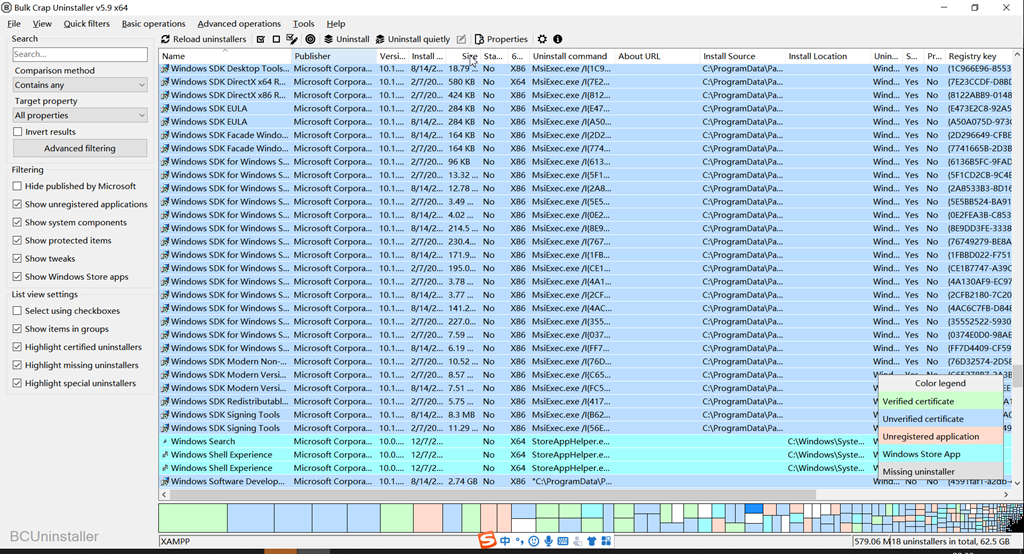
软件可以在这里下载:https://www.bcuninstaller.com/
Bulk Crap Uninstaller (in short BCUninstaller or BCU) is a free (as in speech and beer) bulk program uninstaller with advanced automation. It excels at removing large amounts of applications with minimal to no user input, while requiring next to no technical knowledge. It can detect most applications and games (even portable or not registered), clean up leftovers, force uninstall, automatically uninstall according to premade lists, and much more.
Features
In its basic form BCU is easy to use by most users, but it also has tools useful for power users, system admins and developers. Some of the most notable features of Bulk Crap Uninstaller:
Very thorough installed application detection
BCUninstaller can detect, manage and uninstall applications from the following sources:
- Normal registered applications (same as Programs and Features and many other uninstallers)
- Hidden/protected registered applications
- Applications with damaged or missing uninstallers
- Portable applications (looks in common locations and on portible drives, configurable)
- Chocolatey packages
- Oculus games/apps
- Steam games/apps
- Windows Features
- Windows Store apps (Universal Windows Platform apps)
- Windows Updates
Applications from all of these sources are treated the same – you can filter, export and automatically uninstall them in the same way.
Bulk-Crap-Uninstaller is maintained by Klocman.